49er Mobile ID Program
The 49er ID Card is available on Google Wallet, Samsung Wallet, iOS and Apple Watch.
49er Mobile ID
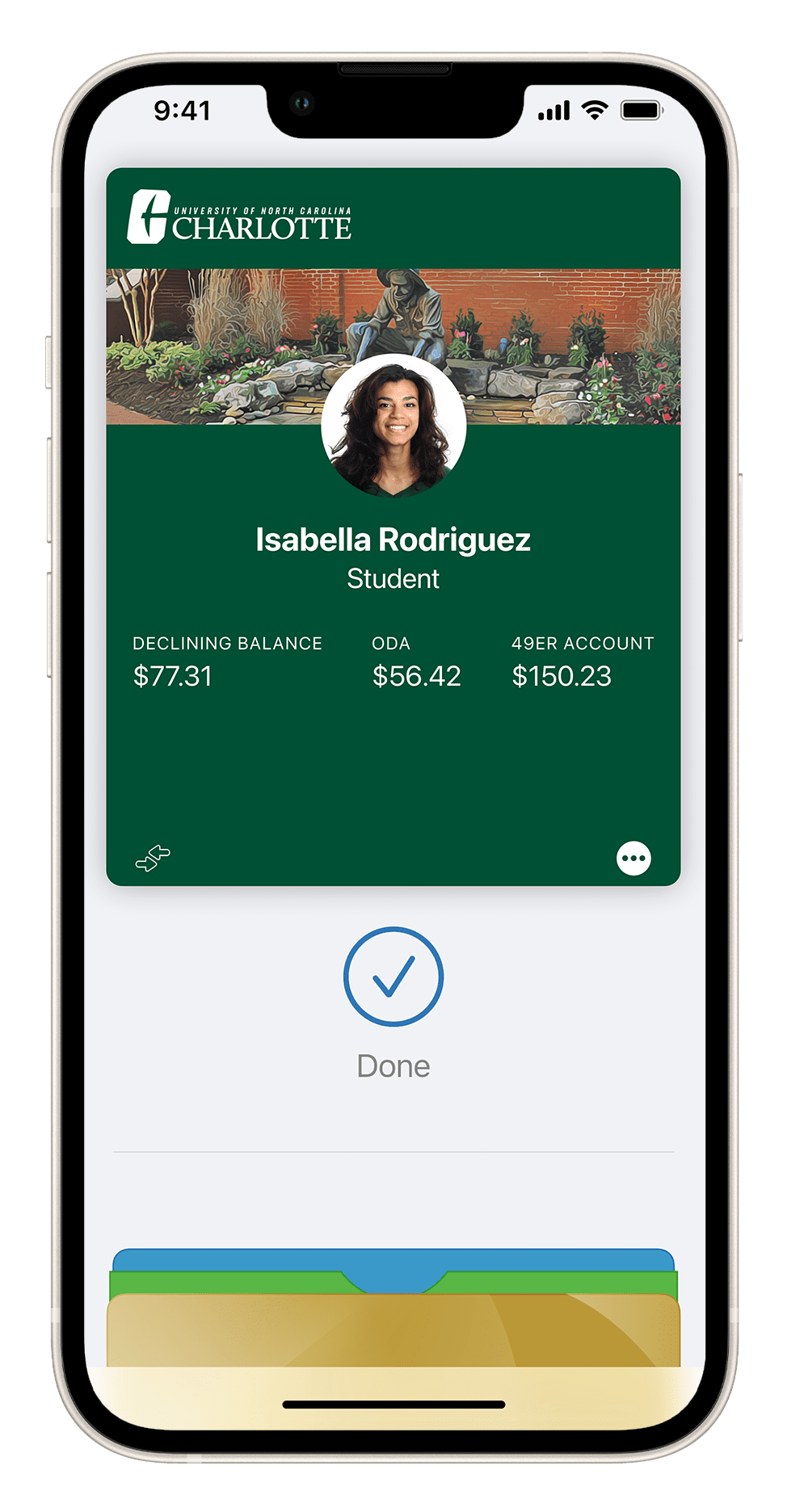
Your 49er Mobile ID gives you access to:
- Campus housing
- Recreational facilities
- Campus labs
- Campus events
Your 49er Mobile ID holds funds for:
- Declining Balance
- Optional Dining Account
- 49er Account
And, your 49er Mobile ID serves as your:
- Meal plan card
- Library card
- Backup credential for parking access
Getting started
To set up 49er Mobile ID on your device, download the Transact eAccounts app.
Follow the instructions for setting up your 49er Mobile ID or watch the video below to get set up on your iPhone, Apple Watch or Android device.
iPhone and Apple Watch
Android devices
Troubleshooting
Having trouble setting up or using your 49er Mobile ID? Submit a request for help online and a 49er Card specialist will get in touch.
Resident students may visit the Loan Key Desk if you encounter issues with your 49er Mobile ID outside of business hours.
For general questions about 49er Mobile ID, please email 49erCard@charlotte.edu or call (704) 687-7337.
Use of card images
The University may use the cardholder’s image for internal identification purposes, including for the generation of photo-based class rosters. Please see 49er Card Terms and Conditions for more information.